
Registering at an online casino should be straightforward, but UK players need to check more than just how quickly a form can be completed. Before creating an account at Plexian Casino, confirm that the service is available to customers in Great Britain and that it holds the appropriate UK Gambling Commission (UKGC) licence. The information below explains the usual registration process and the checks to make before depositing. Availability and requirements can change, so rely on the casino’s current terms and official licence information rather than assuming every UK visitor can sign up.
Check eligibility before you begin
Start by visiting Plexian Casino through its official website and looking for its terms, licensing details and list of permitted countries. A casino’s appearance in UK search results does not establish that it is authorised to serve UK residents. For online gambling offered to people in Great Britain, check the operator and domain against the UKGC’s public register. If Plexian Casino cannot demonstrate the relevant authorisation, do not register or deposit from the UK.
Also review the minimum-age requirement, which is 18 in the UK, and any residency restrictions. You may need to be physically located in an accepted jurisdiction when using the site. Do not use a VPN or provide a false address to bypass location controls; doing so can violate the terms and create problems when you request a withdrawal.
What to prepare
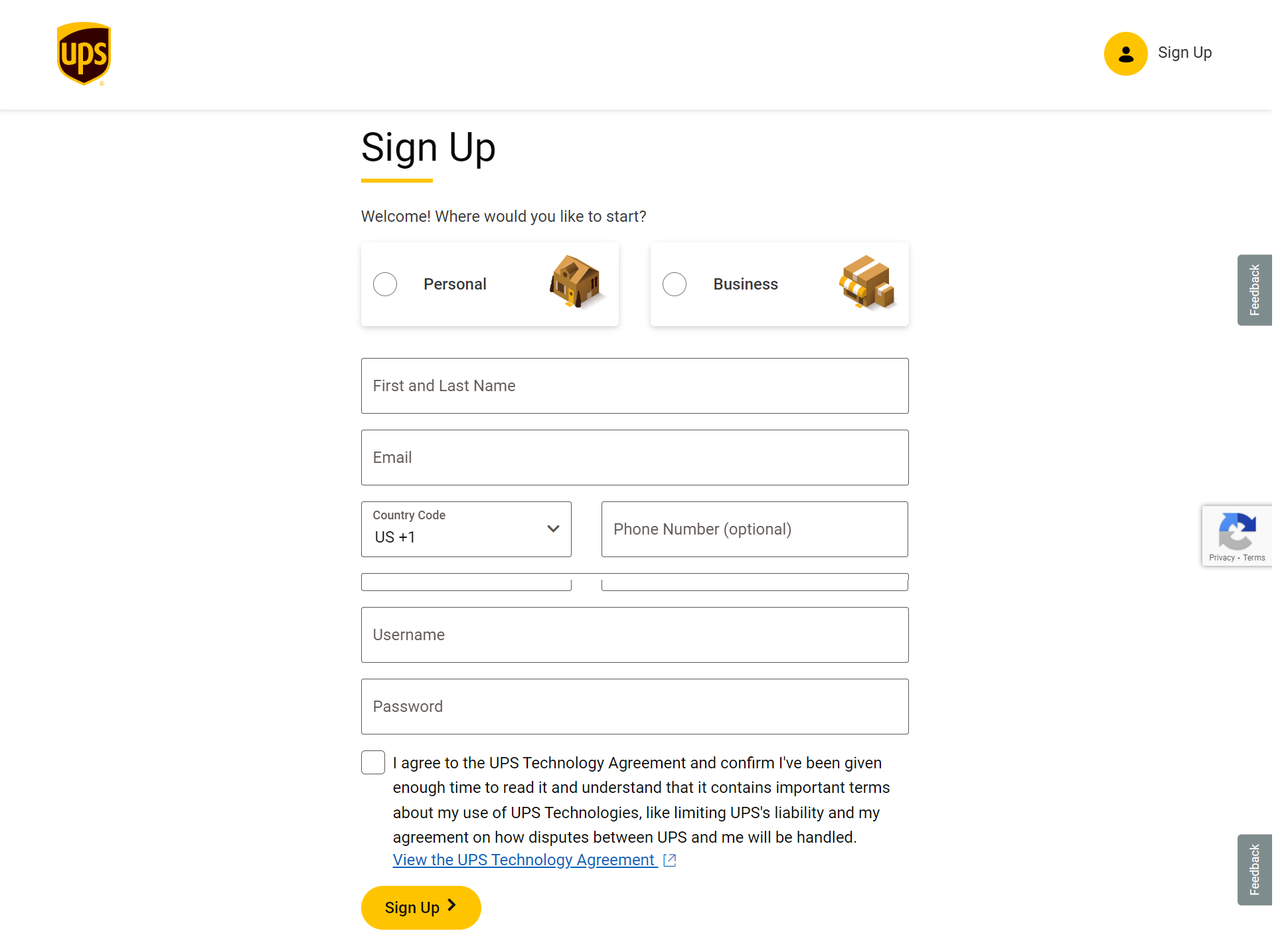
Have accurate personal details ready. Registration commonly asks for your full legal name, date of birth, residential address, email address and mobile number. You may also be asked to choose a username and password. Enter details exactly as they appear on your official documents and payment account. Incorrect or inconsistent information can delay identity checks or lead to an account restriction.
- A personal email address that you can access.
- A mobile number for verification or security messages.
- Your current UK residential address, if UK residents are accepted.
- Identity and address documents for verification, if requested. gbPlexianCasinoUnitedKingdom App
- A payment method registered in your own name, should you later choose to deposit.
Use a unique password, ideally generated and stored with a reputable password manager. Do not share your login details, and enable any additional security option the site offers. Never send identity documents through an unofficial social-media account or an email address that you cannot verify belongs to the operator.
How to register step by step
Open the official registration page
Use the casino’s official domain, check that the connection is secure, and select the button labelled “Register,” “Join” or similar. Read the page carefully before entering information. If the site redirects you to a different operator or domain, verify that the destination is identified in the licence and terms. Do not proceed if the website’s ownership or licensing information is unclear.
Complete the form accurately
Fill in each required field with your genuine details. Choose the correct country of residence and provide your date of birth without alteration. The casino may ask whether you want promotional emails or text messages; marketing consent should be a separate choice where applicable, and you can opt out if you do not want promotional contact. Review the privacy notice to understand how your information is used;
Read and accept the terms only if you agree
Before submitting the form, read the account rules, withdrawal conditions, bonus terms and privacy policy. Pay particular attention to wagering requirements, game restrictions, maximum bonus bets, withdrawal limits, identity checks and account-closure procedures. A tick box is not a substitute for understanding the terms. If the rules are missing, difficult to locate or inconsistent, pause rather than creating an account.
Verify your email or phone
The site may send a confirmation link or one-time code. Use it only if it arrives from the official service and the link points to the domain you intended to visit. If no message arrives, check your spam folder or request a new code through the website. Never provide a verification code to someone who contacts you claiming to be support.
Complete identity checks when requested
UK-licensed gambling operators must carry out checks to meet legal and safer-gambling obligations. Verification may happen during registration or before a withdrawal, and the casino may request proof of identity, address or payment ownership. Submit documents only through a secure account area and make sure the images are readable. Do not alter documents or attempt to open duplicate accounts to avoid checks.
After registration: secure the account
Once the account is confirmed, review the profile for spelling errors and check that contact details are correct. Look for account-security settings and safer-gambling tools, such as deposit limits, time-outs and self-exclusion. Set limits before playing, not after a loss. Gambling should be treated as paid entertainment, never as a way to earn money or recover debts.
If you choose to deposit, check the cashier’s accepted methods, minimum and maximum amounts, processing times and withdrawal rules. A payment method should be in your own name. Keep records of deposits and withdrawals, and avoid spending money needed for rent, bills, food or other essentials. If gambling stops being enjoyable or feels difficult to control, stop and seek support through UK services such as GamCare or the National Gambling Helpline.
Common registration problems
The form rejects your details
Check for typographical errors, especially in your date of birth, postcode and email address. Make sure the details match your documents. If the form still fails, contact the casino through its published support channel and ask what information is required. Do not create another account to work around the error; multiple accounts can breach the rules and complicate verification.
You cannot receive a verification message
Confirm that the email address or phone number was entered correctly, then check spam and blocked-message settings. Wait briefly before requesting another code. If the issue continues, use the official help centre. Never pay a third party to “verify” an account or disclose your password as part of troubleshooting.
Your country is not accepted
If the registration page does not permit a UK address, treat that as a clear indication that you should not try to bypass the restriction. Do not enter another country’s details or use a location-masking tool. Instead, choose an operator that is listed on the UKGC register and explicitly accepts customers in your part of the UK.
Questions and answers
Can a UK player register at Plexian Casino?
Only if the operator is authorised to serve UK customers and its current terms accept residents of your location. Check the UKGC register and the casino’s own country restrictions before submitting a registration form. This guide does not confirm Plexian Casino’s present licensing or availability.
Is registration free?
Creating an account is generally free at online casinos, but deposits and wagers involve real money and risk. Check the terms for any charges associated with payment methods, dormant accounts or currency conversion. Do not deposit simply because a registration bonus is advertised.
What documents might be needed?
Depending on the operator and checks, you may be asked for a photo ID, proof of address or evidence that a payment method belongs to you. Follow the instructions in the secure account area and provide only the documents requested. If a request seems unusual, confirm it with support using contact details published on the official website.
Can I register more than once?
Usually, casino terms allow one account per person or household, though the exact rule depends on the operator. A duplicate account may be closed, and bonuses or withdrawals could be affected. If you have lost access to an existing account, contact support to recover it instead of registering again.
What if I change my mind after signing up?
You can ask the operator to close or restrict your account. If you want a temporary break or need to stop gambling, use time-out or self-exclusion tools where available and contact a UK support organisation. Make sure you understand how any remaining balance is handled under the casino’s terms.
Final checklist
- Confirm that Plexian Casino is licensed for the UK and accepts your location.
- Check that you meet the 18+ age requirement.
- Use your real personal details and a secure, unique password.
- Read the privacy notice, account terms and any bonus conditions before agreeing.
- Complete verification only through official, secure channels.
- Set sensible limits and never gamble with money you cannot afford to lose.
A careful registration begins with confirming that the casino is legally available to you, not with rushing to claim an offer. If Plexian Casino’s UK status, ownership or terms cannot be verified, do not create an account or deposit funds. Choose a clearly authorised alternative instead.


